


About This App
App Name LetsView - Large Screen WiFi
Category Tools
File Size Device-adaptive
Version 9.3.7
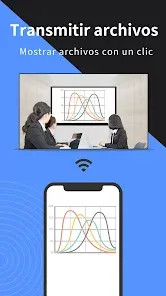
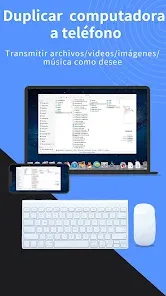
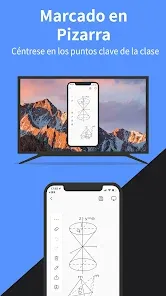


Description
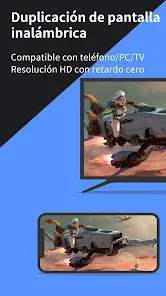
Looking for a free, high-quality screen mirroring app? Look no further—LetsView is your solution! Easily mirror your phone, tablet, or computer screen onto your TV, PC, or Mac. With LetsView, you'll unlock endless possibilities for communication and entertainment in your daily life.
★★Key Features★★
⭐️ Phone-to-PC Screen Mirroring
Mirror your phone's screen to your Mac or Windows computer, enhancing your viewing experience for favorite live streams or presenting content on a larger display without being limited by your phone's screen size. You can even stream your phone’s screen to multiple devices simultaneously.
⭐️ Control Your PC from Your Phone
Once your computer and smartphone are connected, your phone can act as an improvised keyboard or mouse, giving you full control over your computer screen with just your fingers.
⭐️ Phone-to-TV Screen Mirroring
Whether you're watching a movie, enjoying a family sports event, or delivering a business presentation on TV, mirroring your phone’s screen to a bigger display has never been easier with LetsView.
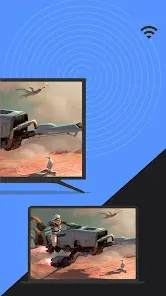
⭐️ PC/Tablet-to-TV Screen Mirroring
Beyond mobile versions, LetsView supports various platforms. Our desktop version also enables screen mirroring between PC-to-PC and PC-to-TV.
⭐️ Extend Your Screen
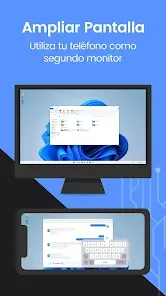
Turn your phone into a secondary monitor for your computer, allowing you to focus on primary tasks on the main screen while handling auxiliary activities on your phone’s screen—significantly boosting your productivity.
⭐️ Remote Screen Mirroring
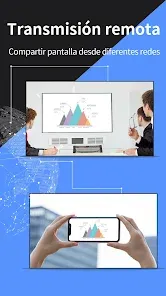
Screen mirroring is possible even when you're on different networks. The remote screen mirroring feature helps overcome network limitations—simply enter the remote streaming code and both devices will share the screen remotely.
⭐️ Additional Features
The LetsView app provides access to LetsView Chat, an AI-powered chatbot using GPT4.0 technology, which you can rely on as a trustworthy work assistant.
👍🏻Why Choose LetsView?
● No advertisements.
● Uninterrupted, unlimited usage.
● High-definition screen mirroring.
● High-definition screen recording.
🌸Main Use Cases
1. Family Entertainment: Mirror movies, games, photos, and more onto a larger screen for a superior visual experience.
2. Business Presentations: Share your PC or mobile phone’s screen content on a large display for meetings or presentations, demonstrating your product to potential clients remotely.
3. Online Teaching: Share the teacher’s device screen and combine it with a virtual whiteboard, enhancing the visual experience of your online classes.
4. Game Live Streaming: Broadcast game content on a large screen, share gameplay with followers, and capture amazing moments.
🌸Easy Connection
Connecting your devices is simple with three available methods: direct connection, QR code connection, or access code connection. Make sure all your devices are connected to the same Wi-Fi network, and your device will be automatically detected for easy setup. If your device isn’t detected, simply scan the QR code or enter the access code to establish the connection.
📢Contact Us
We value all your feedback! Contact us at support@letsview.com or send feedback via Yo > Feedback within the LetsView app for suggestions, comments, questions, or concerns. LetsView is compatible with Windows PCs and Macs.
★★Key Features★★
⭐️ Phone-to-PC Screen Mirroring
Mirror your phone's screen to your Mac or Windows computer, enhancing your viewing experience for favorite live streams or presenting content on a larger display without being limited by your phone's screen size. You can even stream your phone’s screen to multiple devices simultaneously.
⭐️ Control Your PC from Your Phone
Once your computer and smartphone are connected, your phone can act as an improvised keyboard or mouse, giving you full control over your computer screen with just your fingers.
⭐️ Phone-to-TV Screen Mirroring
Whether you're watching a movie, enjoying a family sports event, or delivering a business presentation on TV, mirroring your phone’s screen to a bigger display has never been easier with LetsView.
⭐️ PC/Tablet-to-TV Screen Mirroring
Beyond mobile versions, LetsView supports various platforms. Our desktop version also enables screen mirroring between PC-to-PC and PC-to-TV.
⭐️ Extend Your Screen
Turn your phone into a secondary monitor for your computer, allowing you to focus on primary tasks on the main screen while handling auxiliary activities on your phone’s screen—significantly boosting your productivity.
⭐️ Remote Screen Mirroring
Screen mirroring is possible even when you're on different networks. The remote screen mirroring feature helps overcome network limitations—simply enter the remote streaming code and both devices will share the screen remotely.
⭐️ Additional Features
The LetsView app provides access to LetsView Chat, an AI-powered chatbot using GPT4.0 technology, which you can rely on as a trustworthy work assistant.
👍🏻Why Choose LetsView?
● No advertisements.
● Uninterrupted, unlimited usage.
● High-definition screen mirroring.
● High-definition screen recording.
🌸Main Use Cases
1. Family Entertainment: Mirror movies, games, photos, and more onto a larger screen for a superior visual experience.
2. Business Presentations: Share your PC or mobile phone’s screen content on a large display for meetings or presentations, demonstrating your product to potential clients remotely.
3. Online Teaching: Share the teacher’s device screen and combine it with a virtual whiteboard, enhancing the visual experience of your online classes.
4. Game Live Streaming: Broadcast game content on a large screen, share gameplay with followers, and capture amazing moments.
🌸Easy Connection
Connecting your devices is simple with three available methods: direct connection, QR code connection, or access code connection. Make sure all your devices are connected to the same Wi-Fi network, and your device will be automatically detected for easy setup. If your device isn’t detected, simply scan the QR code or enter the access code to establish the connection.
📢Contact Us
We value all your feedback! Contact us at support@letsview.com or send feedback via Yo > Feedback within the LetsView app for suggestions, comments, questions, or concerns. LetsView is compatible with Windows PCs and Macs.
LetsView - Large Screen WiFi
Version: 9.3.7
Most Popular Apps to Explore






Apps for Every Need




Essential Apps for Everyday Life







All Apps

Venmo
Rating ⭐️ 4.2
Downloads 1M+
Category Tools

Ballistic X
Rating ⭐️ 3.5
Downloads 1M+
Category Sports

STARZ
Rating ⭐️ 3.4
Downloads 1M+
Category Entertainment

Premium NFL app for Wear
Rating ⭐️ 3.1
Downloads 1M+
Category Sports

Crush Love Finder: Fun Filter
Rating ⭐️ 4.5
Downloads 1M+
Category Entertainment
Micro Drama-Watch Short&Dramas
Rating ⭐️ 2.9
Downloads 1M+
Category Entertainment

AllTrails: Hike, Bike & Run
Rating ⭐️ 3.8
Downloads 1M+
Category Maps

T-Life
Rating ⭐️ 4.2
Downloads 1M+
Category Lifestyle
Clean Wave
Rating ⭐️ 4.9
Downloads 1M+
Category Tools

OruxMaps GP
Rating ⭐️ 4.7
Downloads 1M+
Category Travel & Local